
VS Code extension
An AI agent inside your VS Code.
It reads the code, plans, edits, runs your tests and shows every change for you to approve. With a CodeMago account or your own key from another provider.
Free · VS Code 1.93 or later · Mac, Windows and Linux
What it looks like in the editor
What it does
Four modes
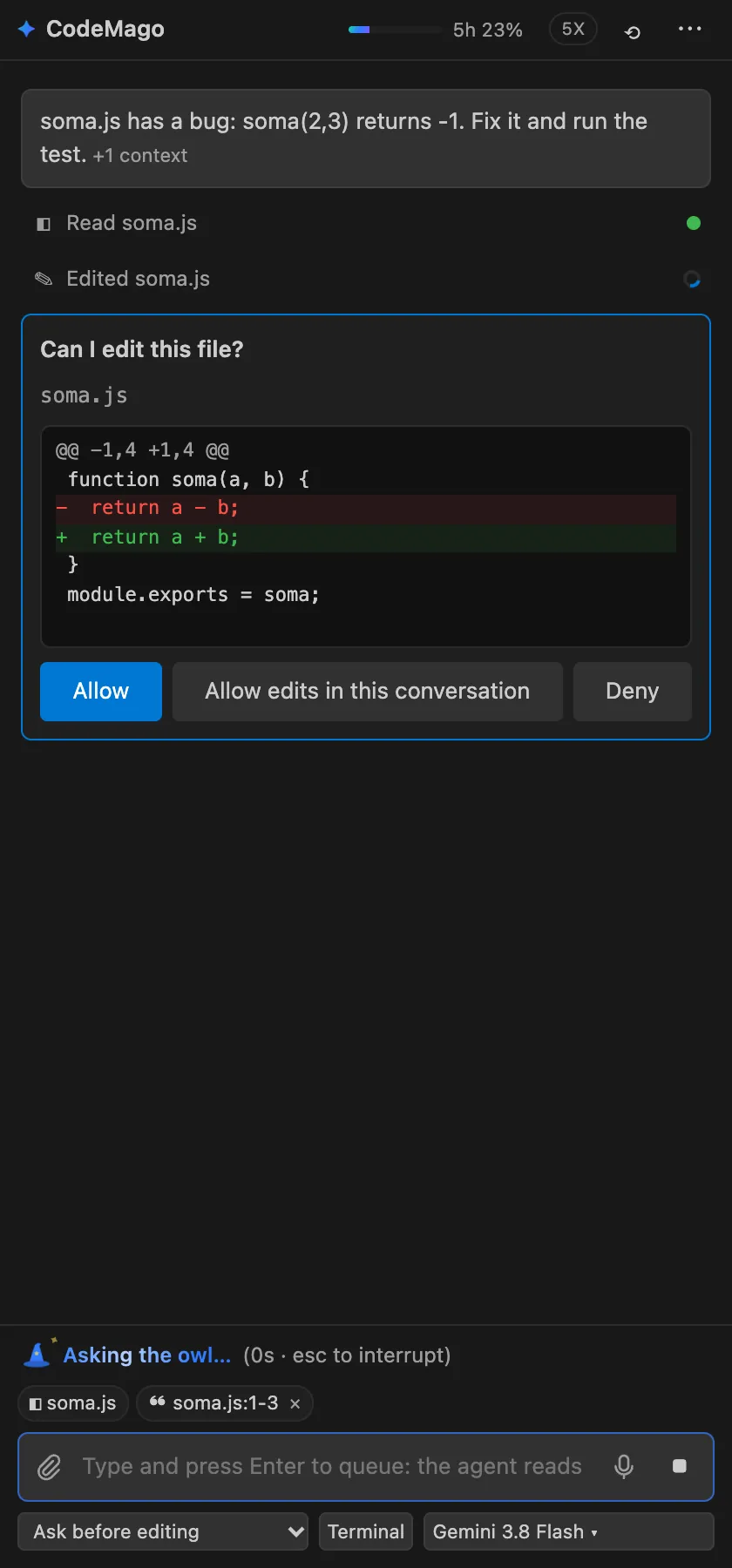
Plan (touches nothing), Ask before editing, Edit on its own and Full access. You decide how much it can do without asking.
A diff for every file
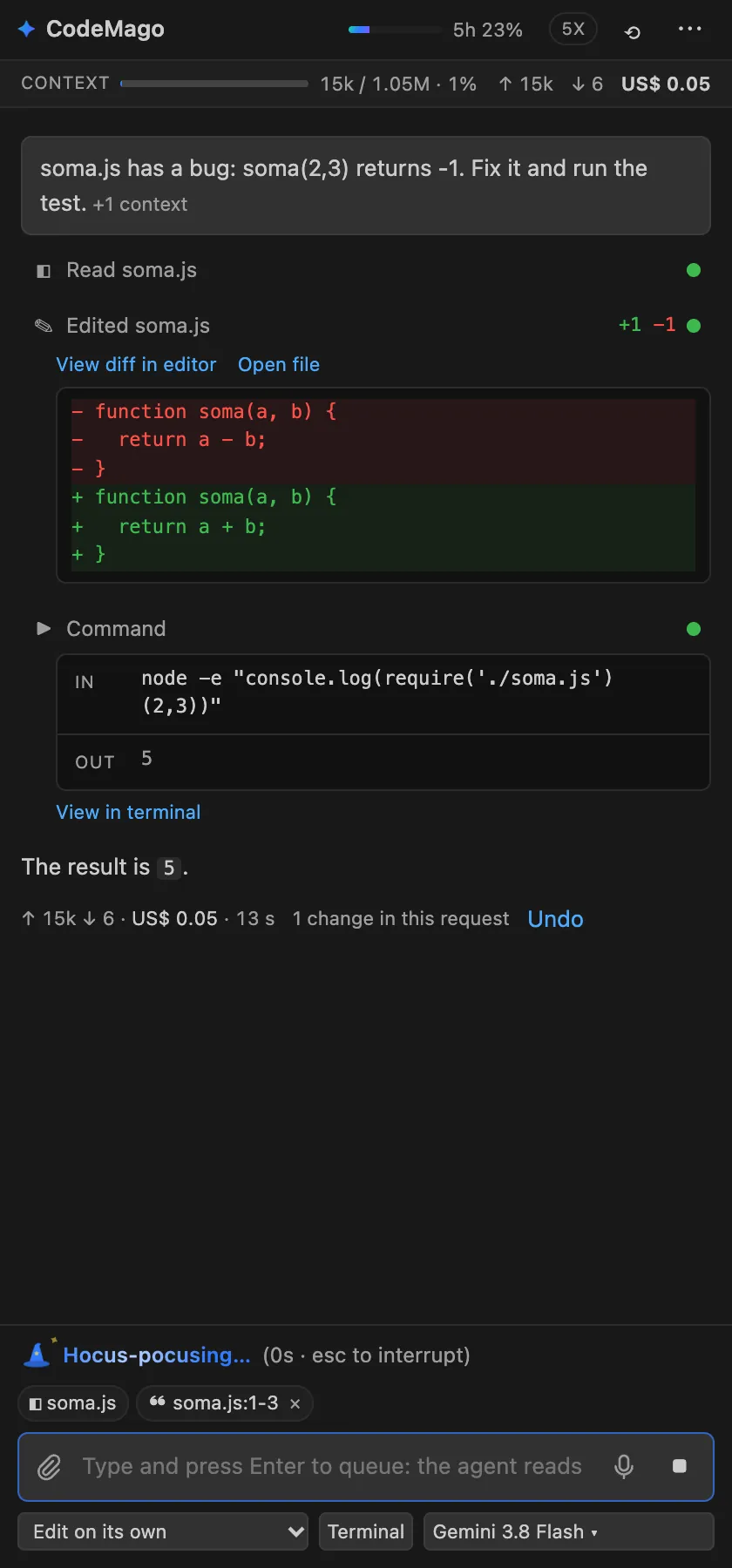
Every change opens in VS Code's native diff, and one click undoes the whole request.
A real terminal
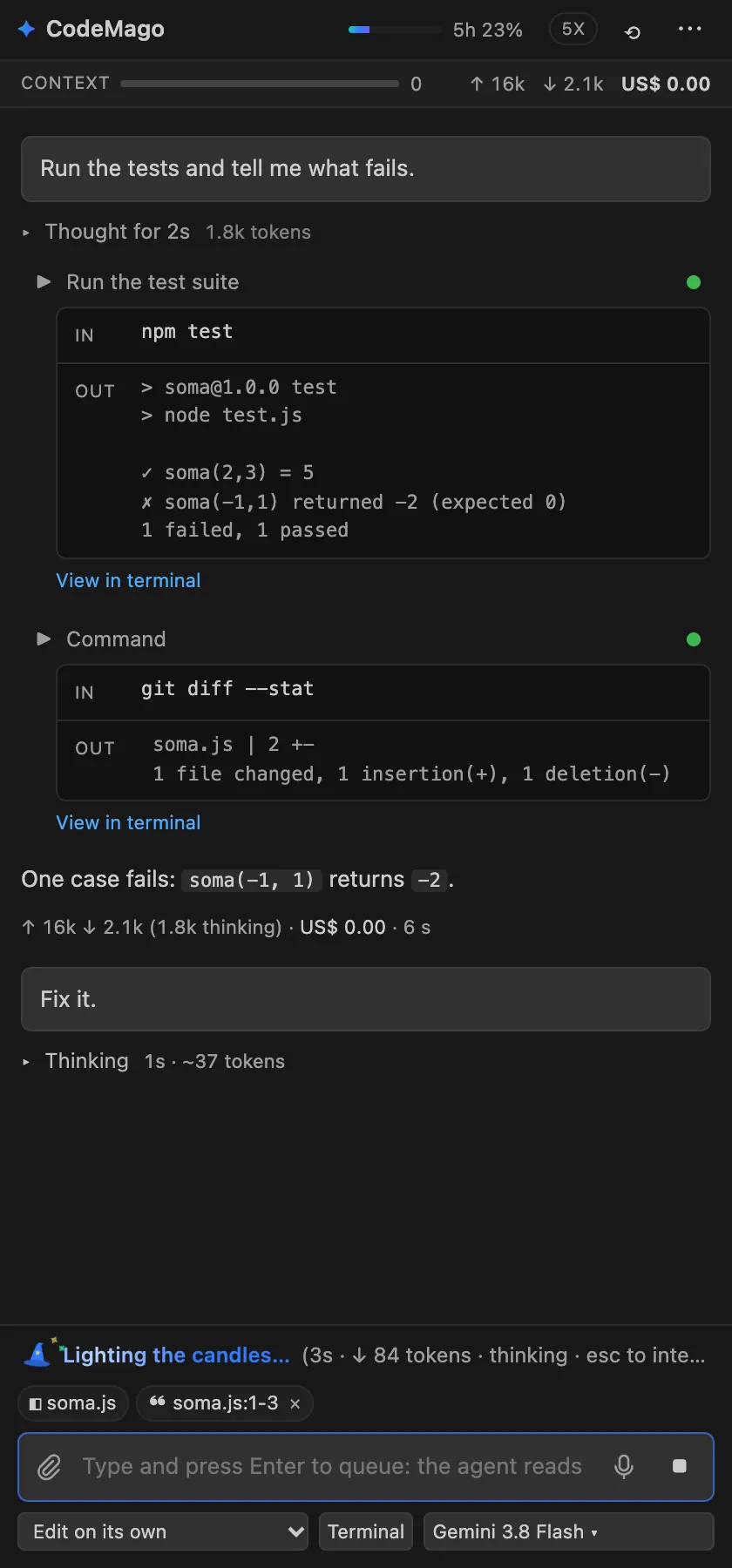
Runs builds, tests and commands, shows each one in a block with input and output, and fixes what fails.
Tests before "done"
Reproduces the bug before fixing it, writes the tests as files and reports what passed and what it did not verify.
Voice dictation
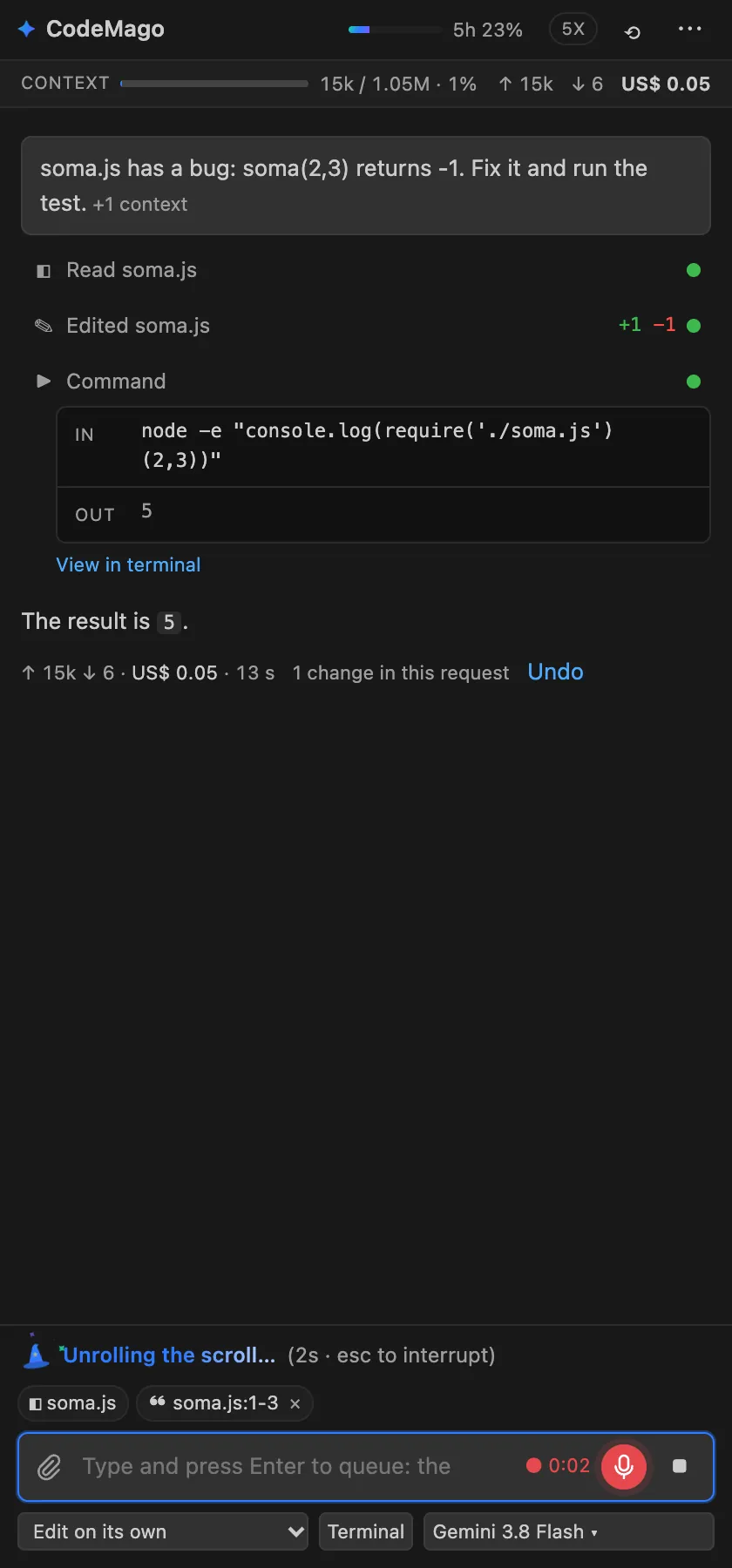
Click the mic, talk, and the text lands in the box. With your own OpenAI, Groq, Google Gemini, ElevenLabs or Deepgram key.
Attachments and web search
Attach files and images (or paste a screenshot with Cmd+V). When it needs to, it searches the web.
Message queue
Keep typing while it works: your message goes in at its next step, in the same request.
Cost in plain sight
Tokens, thinking time and cost of every request on screen, and your plan usage as a percentage in the status bar.
Reads your project rules
AGENTS.md, CLAUDE.md, .cursorrules and the Copilot instructions already in your repository.
Sign in your way
CodeMago account
One click, sign in through the browser and use your plan. Usage shows as a percentage in the status bar.
CodeMago API key
The ca_… key from your dashboard, if you'd rather not open the browser.
Your own key from another provider
Anthropic, OpenAI, Google Gemini, DeepSeek, OpenRouter, Groq, xAI, Amazon Bedrock, local Ollama and dozens more. No CodeMago account needed.
Questions about the extension
Is the extension free?
Yes, installing is free. You only pay for the AI model: with a CodeMago account it comes out of your plan; with your own key, you pay that provider directly.
Do I need a CodeMago account?
No. You can use it with just your own Anthropic, OpenAI, Google, DeepSeek, OpenRouter or Groq key, or a local server like Ollama.
Is it like Claude Code or Cline?
It works the same way: an agent that reads the project, plans, edits and runs commands with your approval. Here you pick the model (dozens of providers or the CodeMago plan) and see the tokens and cost of every request.
Where does my code go?
Your code stays on your machine. Only the parts the agent reads to answer you are sent to the AI provider you chose.
How does voice work?
Click the mic in the box, talk and click again: the text goes where your cursor is. Transcription uses your own speech-service key (OpenAI, Groq, Google Gemini, ElevenLabs or Deepgram).
What do I need to install?
Just VS Code 1.93 or later. The first time, the panel installs the agent's engine with one click.
Install it and ask for your first change.
Free · VS Code 1.93 or later · Mac, Windows and Linux